If you lead a busy warehouse or plant, you likely live by a simple golden rule: if it isn’t broken, don’t fix it. When your team is focused on keeping orders moving and managing labor shifts, replacing a fleet of “working” handheld scanners naturally drops to the bottom of the list.
However, running modern operations on legacy Windows® mobile operating systems, like Windows CE or Windows Embedded Handheld, subtly holds your team back.
It isn’t just about security risks, though those are real since Microsoft stopped patching these systems years ago. It’s also about the daily speed, flexibility, and efficiency your team misses out on by using outdated technology. Here is why making the move to Android is easier and far more rewarding than you might think.
The Cost of Living with Legacy Devices
When mobile units begin to age, users will experience sluggish processing speeds, dropped Wi-Fi connections, and clunky text menus that add up across every shift.
Research from VDC Research shows that operations sticking with legacy mobile systems face a 30% higher Total Cost of Ownership (TCO) due to extra IT workarounds and lost worker productivity.
- Security Gaps: Without ongoing OS updates, older devices can become an easy target for cyber threats.
- Time-Consuming Interfaces: Legacy screens rely on small text and slow stylus taps. Newer hires spend more time trying to navigate the screen than actually picking orders.
- Hard-to-Find Parts: Hardware makers stopped manufacturing legacy Windows units years ago, making spare parts and refurb replacements surprisingly expensive.
Why Android Makes Everyday Work Easier
Switching your fleet over to Android isn’t just an IT upgrade; it makes daily work smoother for everyone on the floor.
- Instant Familiarity: Almost everyone uses a touchscreen phone outside of work. New or temporary workers pick up an Android mobile computer or tablet and immediately know how to tap, swipe, and scroll, dropping training time to almost zero.
- Strong, Simple Security: Tools like Zebra Mobility Extensions (Mx) turn Android into a secure platform where IT can easily manage updates, lock down apps, and protect company data behind the scenes.
- Long-Term Peace of Mind: With Zebra’s LifeGuard™ for Android, you get up to 10 years of predictable OS and security support, so you won’t have to worry about forced upgrades anytime soon.
Modern Hardware Built for Real Warehouse Work
Upgrading your platform opens the door to equipment designed specifically for today’s high-demand logistics environment. Take the Zebra MC9400 rugged handheld computer as a prime example.
Built on Zebra’s popular platform, the MC9400 combines a tough Gorilla Glass display with lightning-fast processing power. Two features stand out for warehouse teams:
- Wi-Fi 6E Speed: Keeps workers connected to your WMS even in dense racking areas where older devices drop signal.
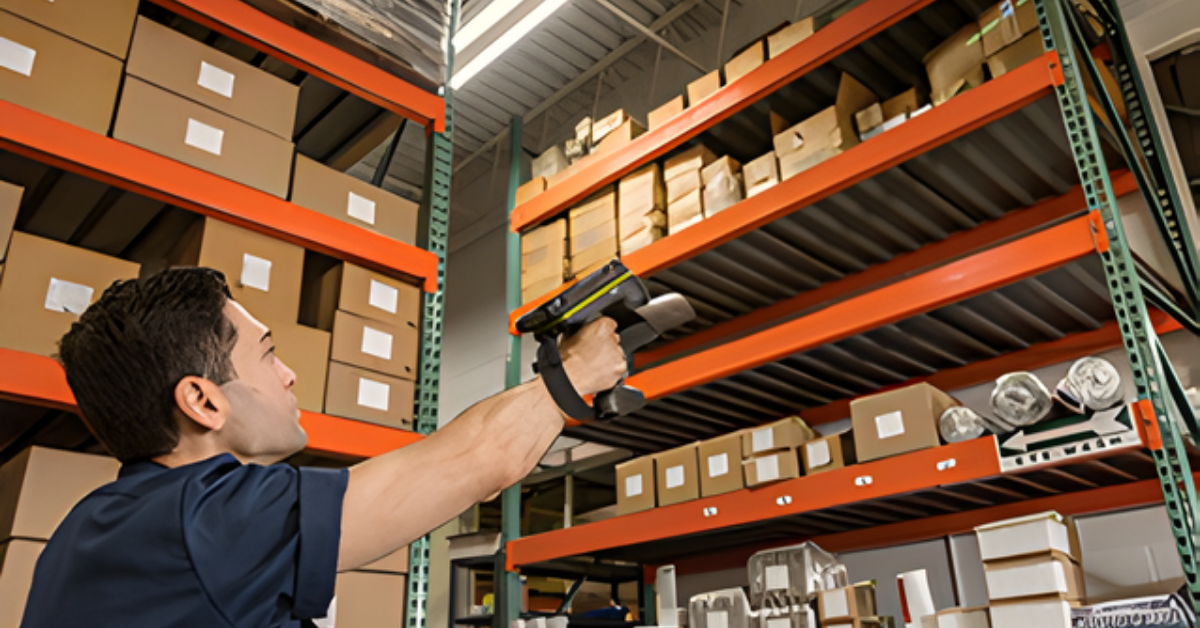
- Long-Range Scanning: Scans barcodes smoothly from a few inches away up to top racks over 100 feet out, letting forklift operators complete scans safely without stepping out of their seats.
Smarter Output: Printers That Help Manage Themselves
Mobile scanners are only half the equation. Your printers need to keep pace too. Older industrial printers used to hum along until a jam or burnt-out printhead brought the shipping department to a sudden halt.
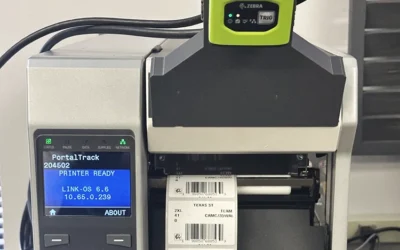
Newer Zebra industrial printers, like the ZT411 and ZT610, act more like smart assistants powered by Zebra Print DNA software.
How Smart Printers Keep Lines Moving:
- Proactive Health Alerts: The printer tracks its own printhead health and alerts your team before a part fails, so you can swap it during a planned break.
- Easy Visual Guides: Crisp color touchscreens show short videos that walk operators through clearing a jam or swapping media in seconds.
- Remote Management: IT can check on, adjust, and update printers across multiple buildings from one simple dashboard.
Comparing the Difference
Here is a quick look at how day-to-day operations shift when moving from legacy devices to a modern Android ecosystem:
| Operational Focus | Legacy Windows® Systems | Modern Android & Zebra Ecosystem |
| System Protection | End-of-Life; no new security patches | Up to 10 years of ongoing security updates |
| User Experience | Text-heavy; slow stylus or key entry | Touchscreen interfaces workers already know |
| Wireless Connection | Older Wi-Fi prone to dead spots | Wi-Fi 6E for fast, reliable data sync |
| Scanning Range | Shorter range; may struggle with damaged codes | Extended scanning up to 100+ feet away |
| Printer Maintenance | Reactive; fixed after the line stops | Predictive; flags maintenance needs early |
A Strategic Step Forward
Upgrading your data collection setup doesn’t have to be overwhelming. It’s simply about giving your team reliable tools that remove daily frustration.
Nick Tarr, Account Manager at MSM Solutions, shares what he sees in the field:
“Most operations teams we work with aren’t looking to overhaul their whole world; they just want to eliminate daily bottlenecks. Moving to an Android handheld like the Zebra MC9400 completely changes how smoothly a shift runs. When you add smart printing into that mix, work just flows faster with fewer interruptions. It’s a simple, high-value win for the facility.”
Ready to Explore Your Options?
If you are curious about what an upgrade could look like for your facility, you don’t have to figure it out alone. At MSM Solutions, we specialize in helping companies map out a smooth, step-by-step transition, handling everything from app compatibility to staging hardware so your day-to-day work never misses a beat.
Reach out to our team at MSM Solutions today for a friendly, no-pressure chat about your current fleet and where you can gain easy efficiency.