Whether you’re rushing to hit automotive quotas, shipping food out of cold storage, assembling electronics, or staging hospital supplies, late in the year gets chaotic. Between meeting end-of-year goals, running annual inventory counts, and planning holiday shutdowns, there’s zero room for equipment failure.
In these settings, printers and scanners aren’t just background tools, they run the whole show. A printer that jams or a scanner that won’t read a barcode can stall a packing station, back up a loading dock, or delay a critical delivery.
Before the rush kicks into high gear, take a walk on the floor and run these three practical checks with your team.
1. Batteries: Weed Out Dying Packs Before Double Shifts Hit
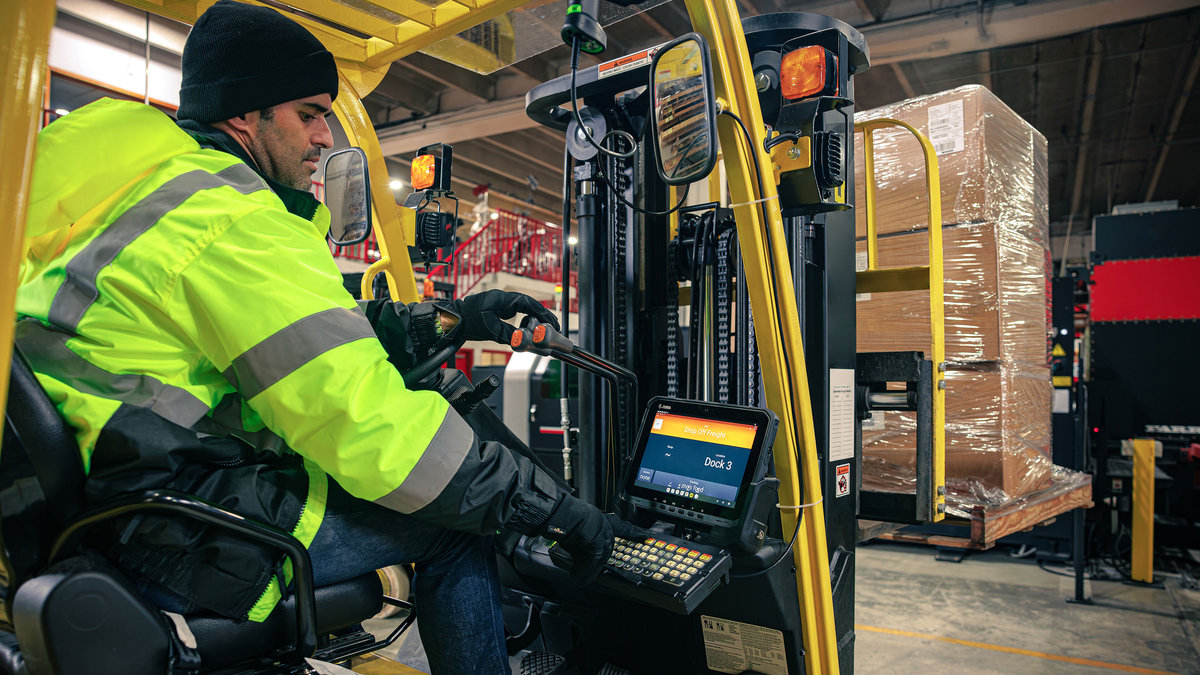
Handheld scanners, wearables, and vehicle terminals get worked hard. A battery that easily makes it through a normal 8-hour shift in mild weather could struggle halfway through a busy 12-hour shift—especially if it’s moving in and out of cold areas.
What Actually Happens
Rechargeable batteries wear out naturally over time. As they age, they struggle to deliver quick bursts of power, like when an operator scans a barcode 30 feet up on a rack. When the battery can’t push enough juice, the device abruptly restarts or shuts down.
On the floor, that means:
- Pick sessions get dropped mid-job.
- Data has to be re-entered.
- Workers lose minutes waiting around for devices to reboot and reconnect to the network.
What to Do Now
- Check the charging cradles: Dust, lint, and vibration can bend or dirty the little metal charging pins. Wipe down the charging contacts and make sure the spring pins actually bounce back when pressed.
- Retire tired batteries: Don’t just look at whether the screen says “100%.” Check your device management software or battery health tool for total cycle counts. If a battery has been through over 400 charge cycles or holds less than 80% of its original life, swap it out.
2. Cleaning: Clear Out Dust, Sticky Residue, and Worn Rollers
Industrial printers (like the Zebra ZT411 and ZT611) work in dusty, tough spots. Cardboard fibers in warehouses, chemical mist in automotive plants, and constant temperature shifts in food packaging leave a grimy coating over delicate parts.
What Actually Happens
Thermal printheads use tiny heating dots to burn text and barcodes onto labels. Over time, label glue and ribbon wax stick to that heating line. That gunk acts like a blanket, blocking heat from reaching the label.
When print gets faint, operators usually do what anyone would do: they crank the printer darkness setting to maximum. But that backfires:
- Extra heat burns out the heating dots, leaving white lines through your barcodes that scanners can’t read.
- The rubber platen roller underneath gets grooved or slick from the extra heat and label friction.
- Labels slip sideways and jam.
- Optical sensors covered in dust start throwing false “Out of Paper” or “Out of Ribbon” errors, stopping the line.
What to Do Now
- Use 99% isopropyl alcohol wipes: Wipe down the printhead after every ribbon change to dissolve baked-on wax and glue. Skip drugstore 70% rubbing alcohol—the high water content can corrode delicate electronics. When wiping the rubber platen roller, clean gently and let it dry completely to keep the rubber grippy without wearing it down.
- Blow out the sensors: Grab a can of clean compressed air and blow away the dust around the label-gap and ribbon sensors.
- Feel the rubber rollers: Run your finger along the rubber roller right under the printhead. If you feel grooves from narrow labels, or if it feels rock-hard and slick, replace it so labels don’t wander and jam.
Check out these additional cleaning tips for your ZT Series printers here.
3. Backups: Make Sure Your Spare Hardware Actually Works
When a forklift runs into a mobile cart or an operator drops a scanner on concrete, accidents happen. But the biggest delay isn’t the broken tool, it’s how long it takes to get a working backup into the worker’s hands.
A lot of plants keep “backup” equipment sitting on a shelf in an IT closet. The problem? When someone finally grabs it, it hasn’t been updated in six months and won’t connect.
What Actually Happens
An unmanaged spare might be missing current network settings, have expired security certificates, or run an old app version that doesn’t play nice with your current system. The worker gets stuck with an unusable brick, and IT has to drop whatever they’re doing to set up a single device from scratch.
What to Do Now
- Test your “plug-and-play” spares: Pull every backup device off the shelf. Turn them on, connect them to Wi-Fi, and print a test label or scan a test item. Make sure printer settings match your floor standards and mobile computers have the right apps loaded.
- Keep bad units separate: Don’t let broken devices sit mixed in with ready-to-use spares. Mark broken units clearly, set them aside for repair, and make sure your backup shelf only holds tools that work right out of the box.
A Quick Note for Healthcare Teams
If you manage inventory, supply chains, or patient admissions in a hospital, downtime hits differently. It’s not just about shipping pallets, it’s about patient safety, regulatory compliance, and getting supplies where they belong.
- Harsh disinfectants: Cleaners like bleach and hospital wipes chew through standard plastics and leave scanner lenses cloudy. Check your handhelds and wristband printers for tiny cracks in the casing and foggy glass over the scan window.
- Chain of custody: When a mobile computer dies during medication verification or specimen tracking, nurses and staff have to fall back on pen-and-paper logs. That opens the door to human error and compliance issues. Keeping batteries fresh and spares updated is just as crucial at the bedside as it is in the warehouse.
The Real Payoff of a Quick Walkthrough
Catching these issues early saves real headaches for your floor team and avoids emergency repair bills.
| Where to Look | If You Wait for It to Break | If You Fix It Ahead of Time | What It Means for Your Team |
| Batteries | Devices die midway through a shift; workers waste time hunting down fresh ones. | Old batteries get retired; charging docks get cleaned and tested. | No unexpected restarts. Workers finish their shifts without interruptions. |
| Printheads & Sensors | Heat gets cranked up, burning out parts and printing bad barcodes that won’t scan. | Printheads get cleaned with alcohol; sensors get blown clear of dust. | Labels scan on the first try. No more typing numbers in by hand or dealing with carrier fees. |
| Platen Rollers | Grooved rollers cause labels to drift, wrinkle, and jam up machines. | Rollers get checked for wear and swapped before they slip. | No line jams. Automated and manual labeling keep rolling smoothly. |
| Spare Devices | Broken devices get put back on shelves; spares don’t connect or work. | Spares stay charged, updated, and ready to hand out immediately. | Downtime drops to minutes. Workers grab a working tool and get straight back to the job. |
Let MSM Solutions Help Carry the Load
Running through an entire fleet of printers and handhelds takes time, and your team is already busy keeping daily operations moving.
As an authorized Zebra Premier Solution Partner, MSM Solutions does this every day. Our certified team helps you tune up your gear, fix what’s broken, and keep your floor running smoothly:
- Fleet Health Checks: We visit your facility to inspect print quality, check sensor health, and test Wi-Fi performance.
- Certified Depot Repair: Fast-turnaround repairs, deep cleaning, and part replacements using genuine factory components.
- Hot Swaps & Spare Management: We can store, configure, and ship out replacement devices the moment something goes down, so you always have a safety net.
- Support When You Need It: Real technical help from folks who understand industrial hardware inside and out.
Give your team the tools they need to finish the year strong without the hardware headaches. Reach out to our service team today to get your fleet checked over before the busy season takes over.